Cook dinner
Prep days
Bryti collects the tasks you can do ahead for the week’s dinners and lists them on a single card for your prep day.On Sunday afternoon, Emma has an hour free. If she chops the vegetables for Tuesday’s stir-fry now, all Ola needs to do when he gets home late is fry them.A prep day is a day of the week you set aside to get some cooking done in advance. Bryti lists the tasks you can do early on a single card for that day. If you don’t set a prep day, those steps remain part of your evening routine.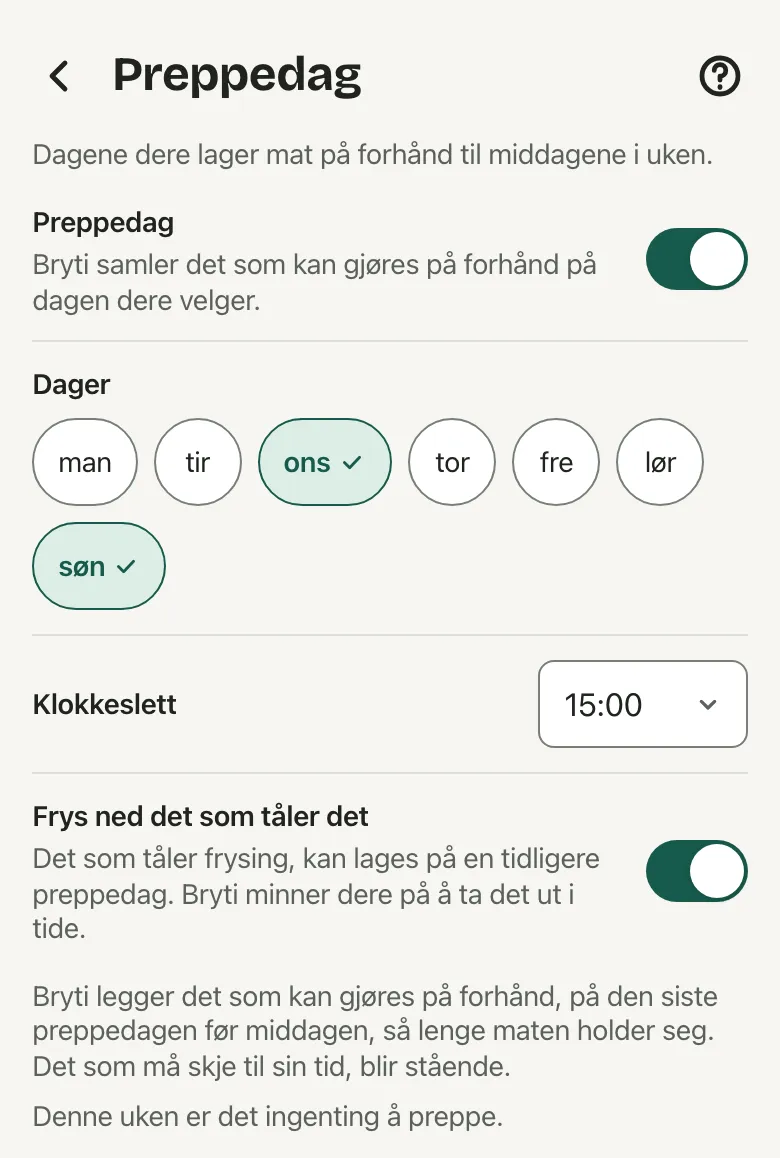
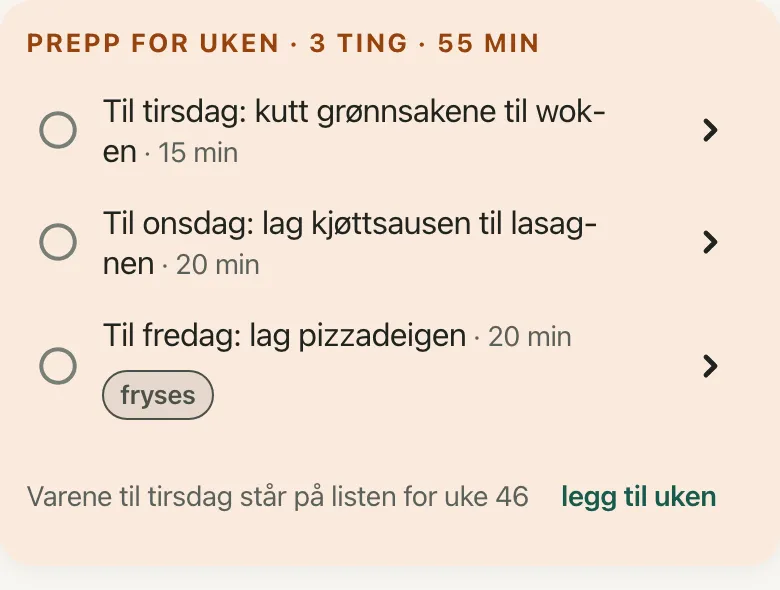 Tap a line when you finish a task. The arrow on the right opens that step in cook mode. The checkmark applies to everyone in your household. That evening, cook mode will show the step as done, along with the day it was made.If you don’t finish everything, the remaining tasks become regular steps for that evening. Before you begin will mention this in a sentence, and the start time will include them.
Choose your prep day
- 1.Open Settings, go to Bryti, and select Prep days.
- 2.Switch on Prep days. Bryti will suggest Sunday at 3 pm, but you can choose more days or another time if you prefer.
- 3.Enable Freeze what keeps if you’d like to freeze some of your prepped food.
NoteOnly the household’s owner can change the prep day in the settings.
What moves
You can do some steps days in advance, such as chopping vegetables or making a sauce. Bryti schedules each of these on the last prep day before the dinner, as long as the food will stay fresh in the fridge.Some steps need to happen at a specific time, so they stay on their original day. For example, salting the pork belly three days ahead will still be scheduled for that exact day.If there isn’t a prep day within the time the food stays fresh, that step remains in the recipe as usual.The card on your prep day
On your prep day, you’ll see a single card on Home and in your weekly view, for example: “Prep for the week · 3 things · 55 min”. Each line tells you which dinner it’s for, such as “For Tuesday: chop the vegetables for the stir-fry”.Tap a line when you finish a task. The arrow on the right opens that step in cook mode. The checkmark applies to everyone in your household. That evening, cook mode will show the step as done, along with the day it was made.If you don’t finish everything, the remaining tasks become regular steps for that evening. Before you begin will mention this in a sentence, and the start time will include them.Freezing and thawing
When Freeze what keeps is on, Bryti can schedule a step even earlier than the fridge would allow. The card will then show freeze on that line.Bryti also adds a task to take the food out of the freezer at the right time. This task appears on the day it needs to be done, just like any other task.Make double, freeze half
Some steps let you prepare a base for more than one meal. For now, that means meat sauce and pizza dough. If Freeze what keeps is on, the card might suggest making a double batch and freezing half for later.Check off that line, and the portions will appear in your pantry. When Bryti plans your week, any dishes using that base get a head start. In cook mode, you’ll see that the base comes from the freezer.The shopping list
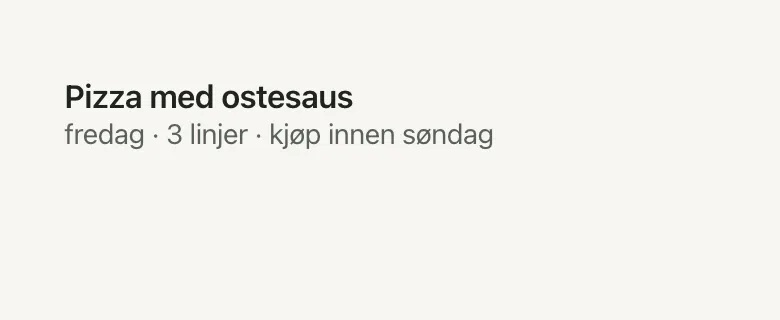
Your shopping list doesn’t change, and no items move to the prep day. If a dinner is planned for next week, the card will show which list the items are on. Tap add the week to add that week’s items to your shopping list.If a step is scheduled for your prep day, you’ll need to have the food at home by then. So under those dinners on your shopping list, you’ll see when to buy it, such as “buy by Sunday”.Reminders
If you turn on Every task in Notifications, you’ll get one reminder on your prep day with the number of tasks and how long they’ll take. You’ll also get a separate reminder for taking food out of the freezer.On the recipe page
For any step you can do early, you’ll see a note like “Can be done up to 3 days ahead”. It will also mention if the step freezes well. This note appears even if you don’t have a prep day set.The suggestion on Home
If you haven’t set a prep day and next week has at least two busy evenings, Bryti might suggest adding one on Home. The suggestion will show which steps a Sunday prep day could take off your busy evenings.If you agree, Sunday will become your prep day. Another day lets you open the setting, and No thanks will hide the suggestion for four weeks.Turn it off
To turn off prep days, switch off Prep days in the settings. The steps will return to your evening routine, and the prep day card will no longer appear.Go to Week
Opens in the app