Cook dinner
How to add a recipe
Keep your own recipes in Bryti. Paste a link, take a photo of a page or type the recipe in yourself.The Recipes page works as your household’s cookbook. It stores your own recipes, recipes Bryti created for you, and the starter library. Base recipes, such as doughs, stocks, and glazes, are listed at the bottom.You can search by dish or ingredient. To narrow your results, open Filter next to the search bar. The filter sheet lets you choose from Category, where you can select several options, as well as Time to the table, What you like, Source, and Sort.Each choice in the sheet shows how many dishes remain. Use Reset to clear all filters. When you select a filter, the button gets a dot. The button stays at the top with the search as you scroll.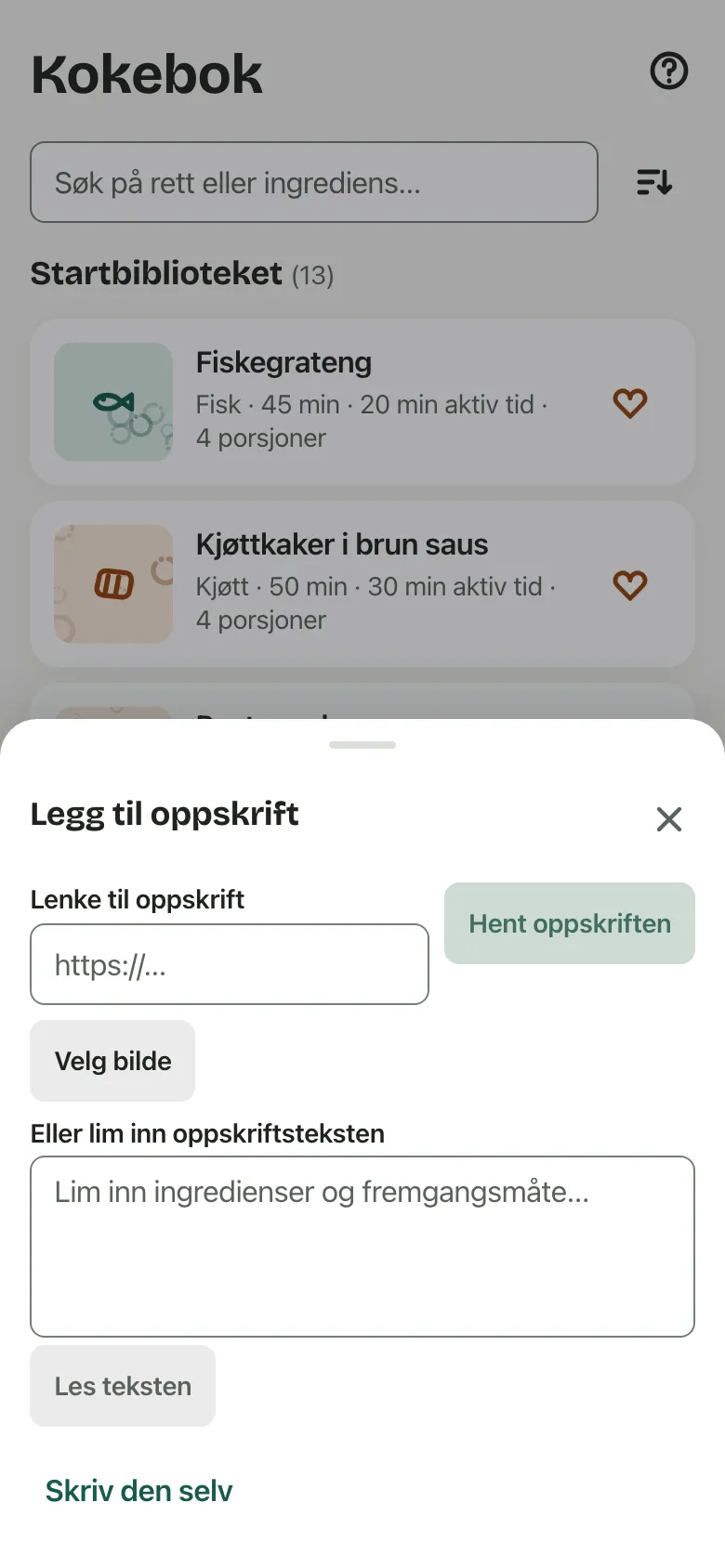
 You can add a photo of your dish below the title. On your phone, choose Take a photo or Choose from photos. In a browser, just drag and drop a photo into the frame.Below the photo, you’ll find Adjust, Replace, and Remove. With Adjust, you can rotate the photo a quarter turn at a time and move the frame to select the part you want to keep.The photo belongs to your household and will be included if you download your data.
Four ways in
Add recipe opens a sheet with four ways to add a recipe: From a link, From a photo, Paste the text, and Write it yourself.Write it yourself
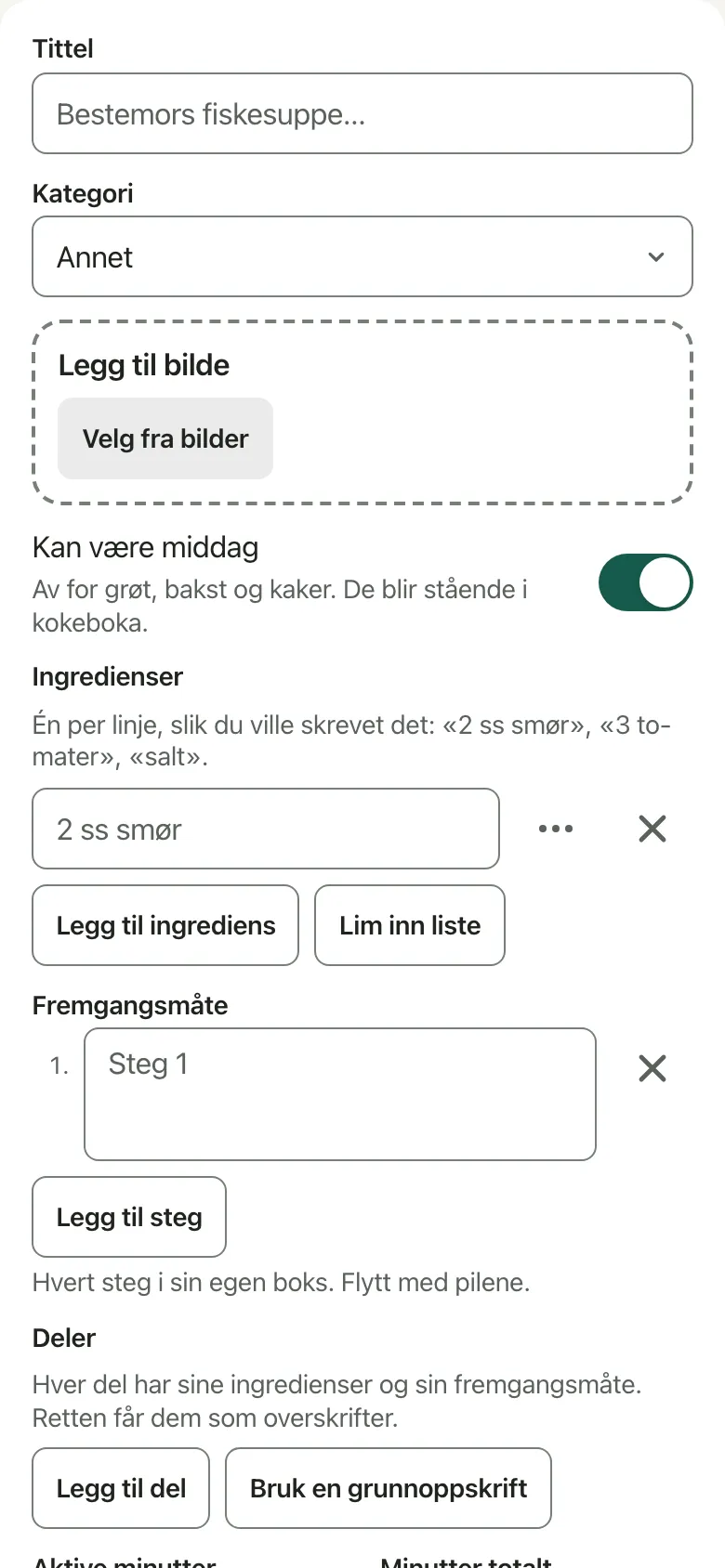
- Add a title and choose a type for your recipe. By default, Can be dinner is selected. If you turn it off for recipes like porridge, buns, or cakes, they will stay in your cookbook but won’t be suggested for dinner.
- List the ingredients as you would on a note, such as “2 tbsp butter”, “3 tomatoes”, or “salt”. You don’t need to include amounts if you don’t want to. With Paste a list, you can paste a whole list, one ingredient per line.
- Write each step in a separate box. Enter the active time, total time, and number of portions.
- If you want, add Tags, like “kid-friendly” or “oven”, then tap Save recipe.
Worth knowingA recipe can have parts, such as a dough or a sauce. With Add a part, you add each part and edit it on its own page.
You can use another recipe as the base for a part by selecting Use a base recipe. If you use Lift out as its own recipe, it turns that part into its own base recipe and leaves a link where it was.Let Bryti read it
- Select From a link, From a photo, or Paste the text. You can add up to four photos, which covers a two-page spread in a cookbook.
- Tap Fetch the recipe. Importing usually takes just a few seconds and costs 2 credits.
- After importing, you’ll see the recipe’s page with a green card showing its source. If it’s not the right recipe, tap Not this, remove it. If the recipe is already in your cookbook, Bryti won’t save it again.
NoteIf Bryti only gets part of the recipe, it doesn’t save anything yet. The editor opens with what came through and marks what’s missing.
From there, you can take a photo of the missing parts, save the recipe as it is, or delete it.If a cookbook mentions “dough, page 34”, Bryti will ask you for that page as well. If there’s already a recipe with that name, Bryti asks whether it's the same one rather than linking them itself.From recipe to dinner
On the recipe’s page, use Put on a day to schedule it for tonight, the next available day, or any day you pick. Add to the shopping list adds the ingredients for the number of portions shown, even if no one has planned that week yet.Make a variant keeps your original recipe and creates a copy you can edit. If the dish doesn’t suit someone at the table, the page offers a version without that ingredient.On your phone, you can share a link to Bryti from Safari, Instagram, or a message, and it will go straight into the import. Only adults can import recipes, so Juniors won’t see the plus button.Go to Recipes
Opens in the app