Get started
Bryti in the chat
What you can say to Bryti, and when Bryti asks before it changes something.On the Home page, you chat with Bryti. Every day begins with a message about the day's plans.When Bryti needs information, it asks using small question cards—rarely more than two or three. You can answer these for free.Bryti answers in the chat, with no card to accept.This becomes a house rule from now on.Using Add something, you can share a recipe with Bryti as a link, a photo, or by pasting text. You can also send a receipt or a picture of your fridge.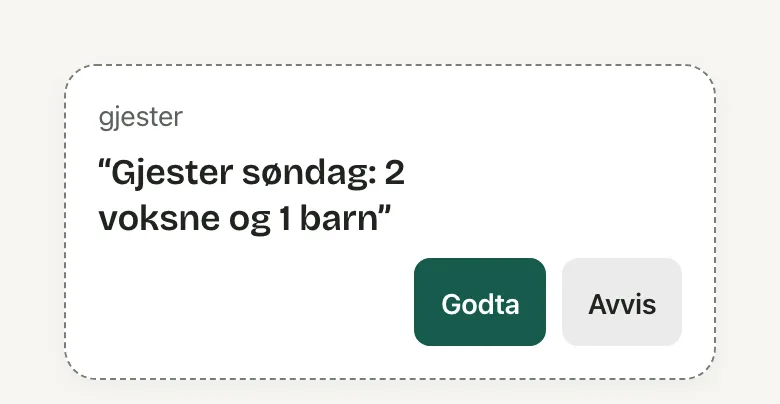 You can undo any change you accepted by using Undo, and you can redo it if needed. If you undo a week plan, the previous plan returns, but the credits spent are not refunded.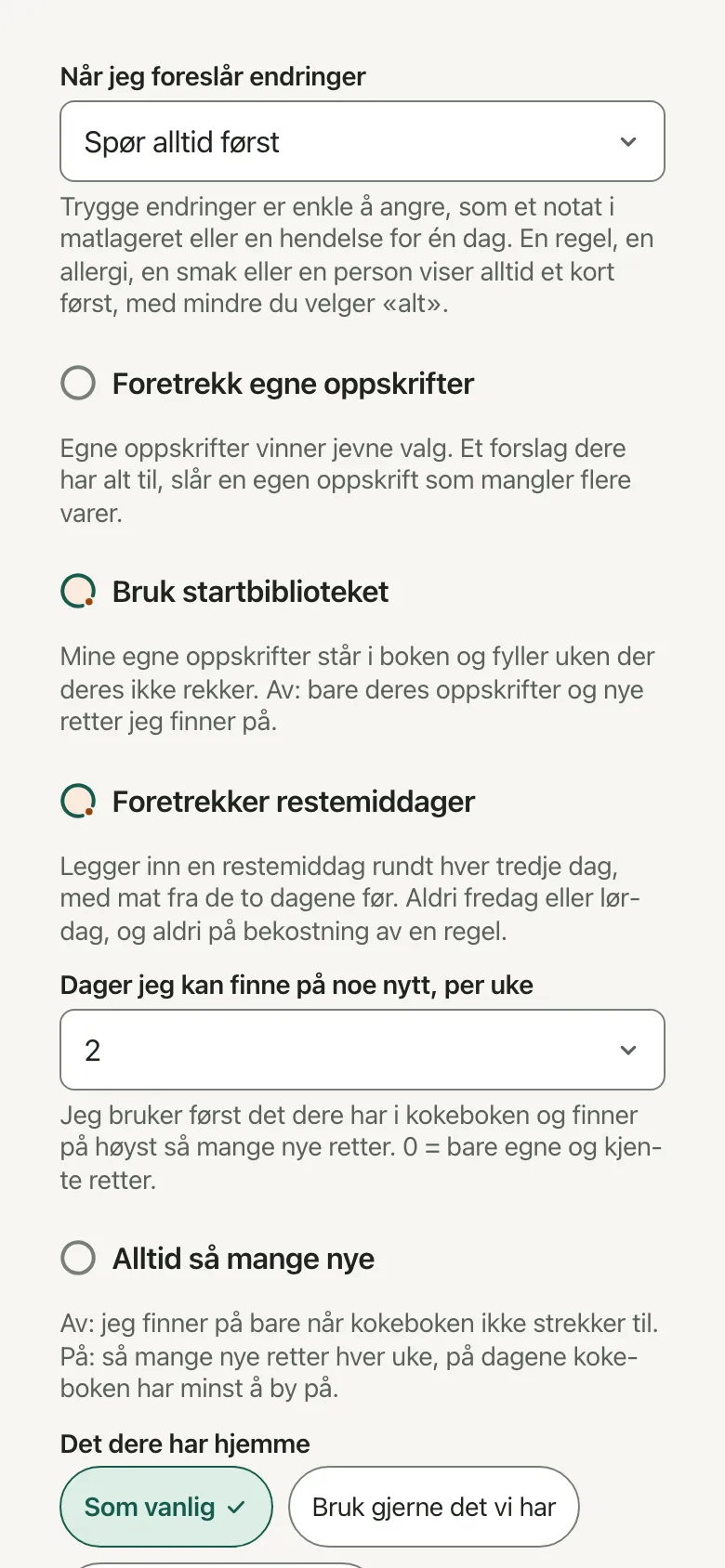
What you can say
Bryti can read and update the plan, recipes, shopping list, and pantry. Just talk to it as you would to anyone else:Plan the week
What do we have at home?
Fish twice a week, but preferably not on Fridays
We’re having guests on Sunday
Swap Thursday for something with fish
Suggestions you accept
When Bryti wants to make a change, it shows a card explaining what it wants to do, along with Apply and Reject options. You can accept several cards at once. If it's just a question, you only need to answer.Plan the week only asks if dinners that are already planned would be replaced. Then the card shows Replace and Keep.If there are no plans for the days, Bryti gets started right away—unless your household prefers to be asked each time. The card will let you know when the week is ready, with Go to the week.Worth knowingUnder When I suggest changes in the settings, your household chooses how much Bryti can do on its own. It starts on Ask first, every time.
Only Apply everything automatically lets Bryti save rules and allergies without a card. Apply safe changes automatically covers small things that are easy to undo, like guests on one day or an item on the list.At the very start, before the household has any people, Bryti saves them without a card. That includes their allergies, but an allergy still needs your yes to storing health data.What Bryti did
Below each reply, What Bryti did shows what Bryti checked or did, such as “Read the house rules,” “Planned the week,” or “Checked the pantry.” This helps you see how Bryti came up with its answer.You can start reading Bryti’s reply as soon as it starts writing. While Bryti is working, you’ll see Bryti is thinking, and the button next to the text box changes from Send to Stop.Stop stops Bryti’s work completely, not just what’s on the screen. Anything Bryti already wrote stays, with a line underneath showing you stopped it. Stopped replies do not cost any credits.Fix, report, continue later
Bryti can make mistakes. Check allergies, amounts and prices yourself.With normal text size, this line appears under the text box. If you use very large text, it shows up here instead to give the conversation more space.You can copy any message. If you edit your last message using Edit and send again, Bryti will respond again.If a reply is incorrect or unsafe, report it using Report this reply. Only that reply and your question will be sent with the report.You can find earlier days under Show conversations, and start a new one with New conversation. If something takes a while, tap Tell me when it's ready and set your phone aside. You’ll get a notification when the answer is ready.Each chat message costs credits—16 at the time of writing. When the month's allowance is used up, Bryti will let you know in the conversation with See usage. Plans, recipes, and lists will still work as usual.NoteA Junior can chat and read the cards, but the household's changes wait for an adult.
Bryti’s settings
Opens in the app