Keep things in order
Quota and credits
Here’s what uses credits, how many you get with each plan, and what happens if you run out.Credits are used when Bryti plans, replies in the chat, or reads pictures. Everything else in the app stays free and keeps working, no matter how many credits you have left.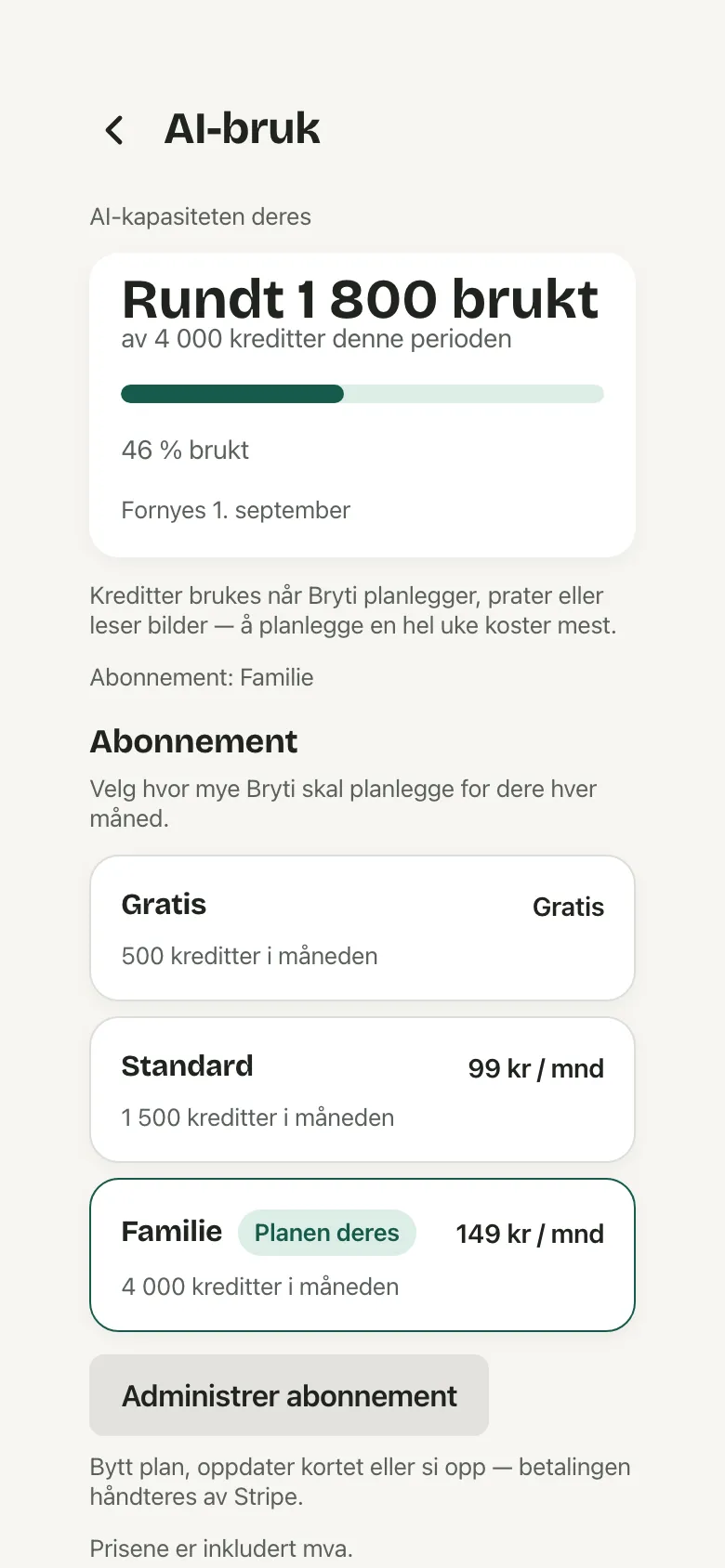 The phone app shows your usage, but you can’t make purchases there. Your plan is managed from your account on the web.
What costs what
- A chat turn: 16 credits.
- Planning the week costs 15 credits, plus 5 credits for each day Bryti invents a new dish. If you use your own recipes for the whole week, it’s free.
- New ideas for one day: 5 credits.
- Reading a recipe or a receipt: 2 credits.
The plans
The free plan gives you 60 credits each month, plus a one-time welcome bundle of 500 credits that stays until you use it up. Superhero is 99 kr a month for 1,500 credits, and Legend is 149 kr for 4,000.Bryti uses your 60 monthly credits first, then the welcome bundle. On the AI usage page they are two numbers behind Show the numbers, shown openly once most credits are used. Monthly credits don’t carry over, but any unused welcome bundle credits do.The plans differ in how much Bryti can plan, read, and suggest for you each month. You can try it without needing a payment card.When they run out
When you’re close to your limit, the AI usage page gives you a gentle warning. If you reach the limit, only new planning, chat, and reading stop. Bryti will let you know in the chat with See usage.NoteIf you undo a week plan, the previous plan comes back, but you don’t get the credits back.
When you need more
Bryti only shows you the plans when it’s relevant. After your first week with a plan and shopping list, you’ll see a card on Home explaining what the plans include. This card only appears once.If you tap Not now, the card won’t show up again there. When you’ve used most of your credits for the month, the AI usage page displays your usage and renewal date below the bar. It also shows what the next plan offers.If you use a lot of credits two months in a row, a card with your own numbers will appear under Subscription. If something costs more than your remaining credits, you’ll see a message right where the action is.In This is how the week looks, you can pick a plan or just plan for the days your credits cover, and your choices will be saved. If you want to wait for your credits to refill, your chat message stays as Not sent until you decide.Managing the subscription
AI usage has a bar for how much is used and says when the period renews. The numbers sit behind Show the numbers until most of it is used. On the web, Subscription lists the plans, and if you choose one, a secure checkout opens.Before you pay, a sheet shows what you pay now and what you get now. The next payment is listed below, and the sheet explains how to change your mind or cancel.If you change plans in the middle of a period, you only pay for the days remaining.NoteIf the sheet says the amount is an estimate, Stripe works out the exact amount before you pay.
Manage subscription lets you change your plan, update your card, or cancel. Upgrades take effect right away, while downgrades start at the next renewal.If you cancel, you’ll keep your plan until the end of your paid period. After that, your household moves to the free plan, and nothing gets deleted.NotePaying is the only thing in Bryti that needs a confirmed email address, because the receipt has to reach you. Until then the buttons are turned off, with Send again next to them.
Invite another family
While Bryti is invitation-only, paying households get a few codes under Invite another family on the same page. Each code can be used once. When your friends create their household with a code you shared from the card, it’s marked as Used.See usage
Opens in the app